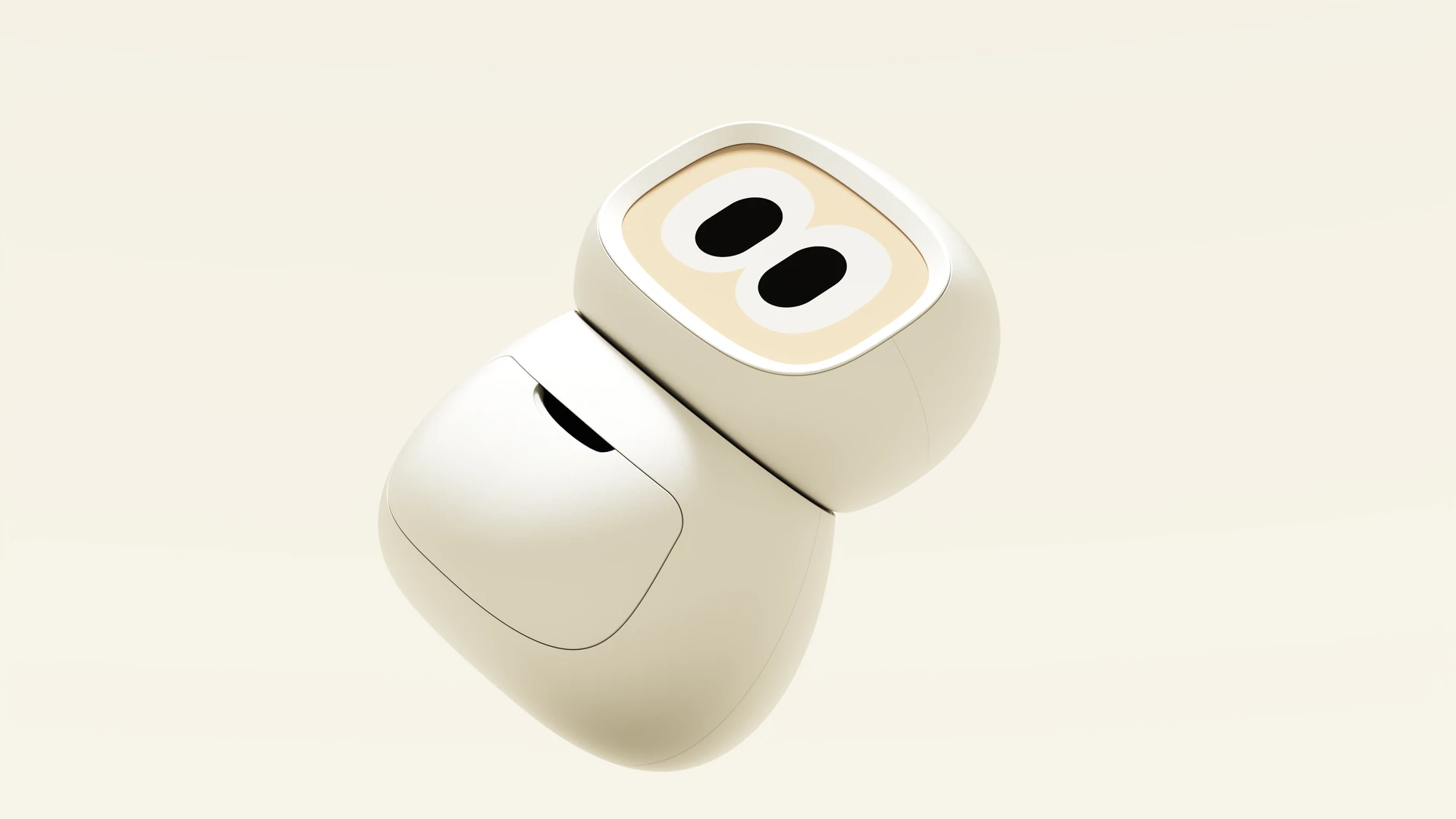
rhem
Order Rhem
backed byY Combinator

Mom’s independence, protected.

A tabletop robot that checks in on her health, gets things done, and keeps you in the loop.

Independence for them.
Peace of mind for you.

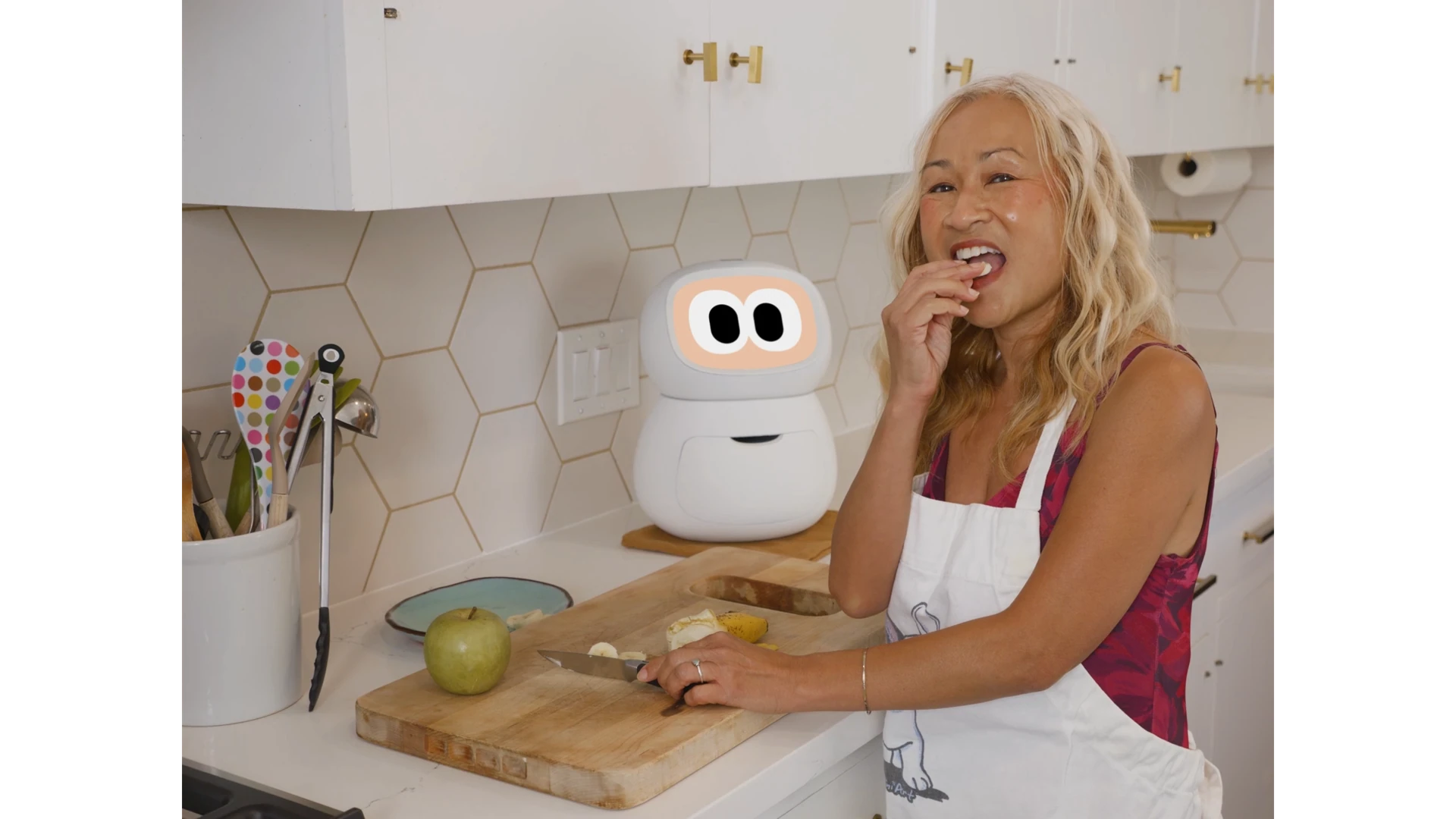
Rhem helps with everyday routines and gives you a way to stay informed and lend a hand, without taking over.

Help them stay on top of their health.

Rhem brings together recorded readings, conversation patterns, and reminders, giving you a history to review over time.

Health reminder, recorded reading, and dated history

Rhem actually gets things done.

Rhem’s AI agents browse websites and make phone calls, booking appointments, calling the pharmacy, and ordering essentials. Just ask.

Everyday request and confirmation

Stay in touch between calls.

A shared view of recorded updates, routines, and requests. Rhem brings them into the family app so you can review what is available and follow up with your parent.
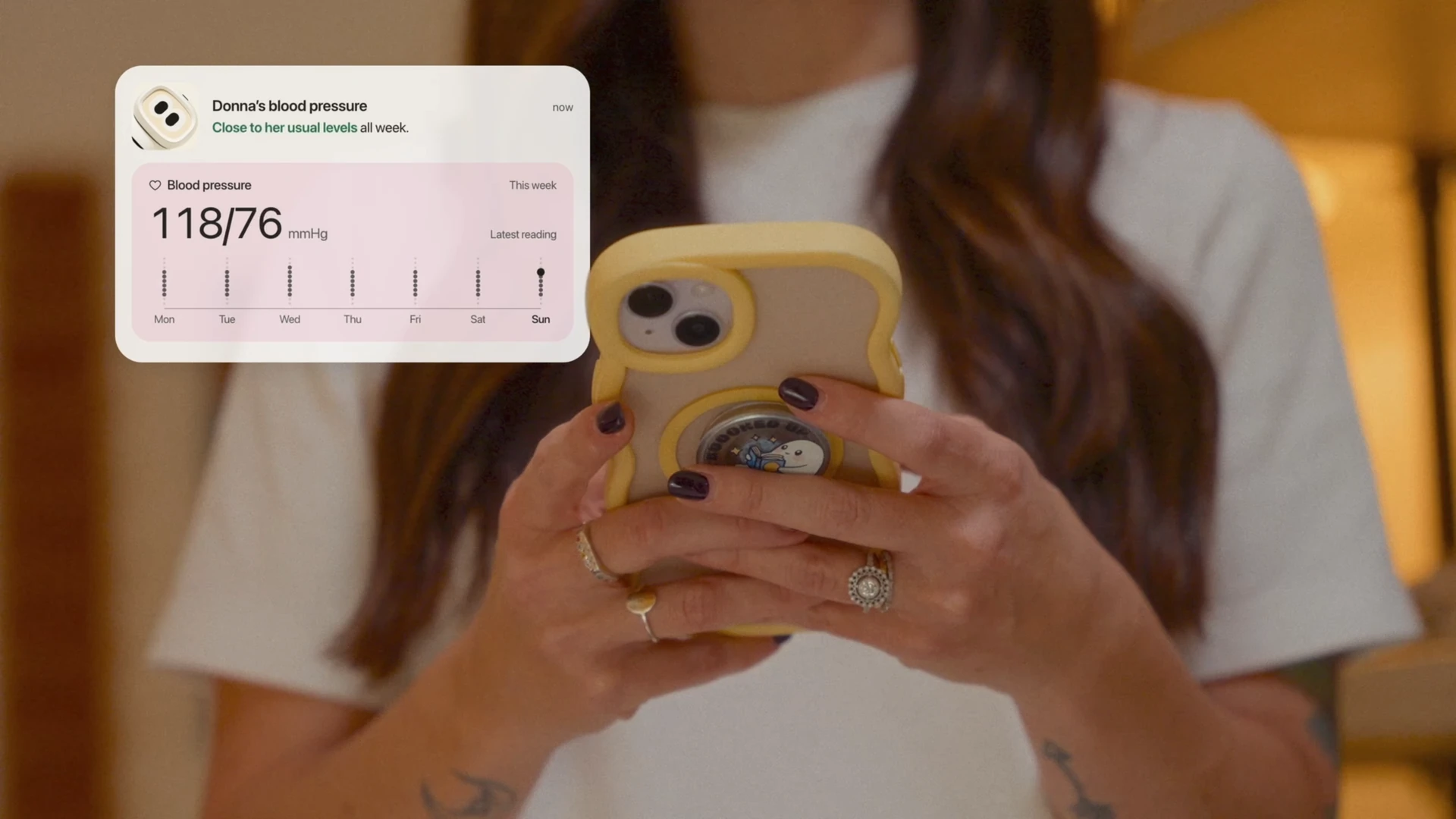
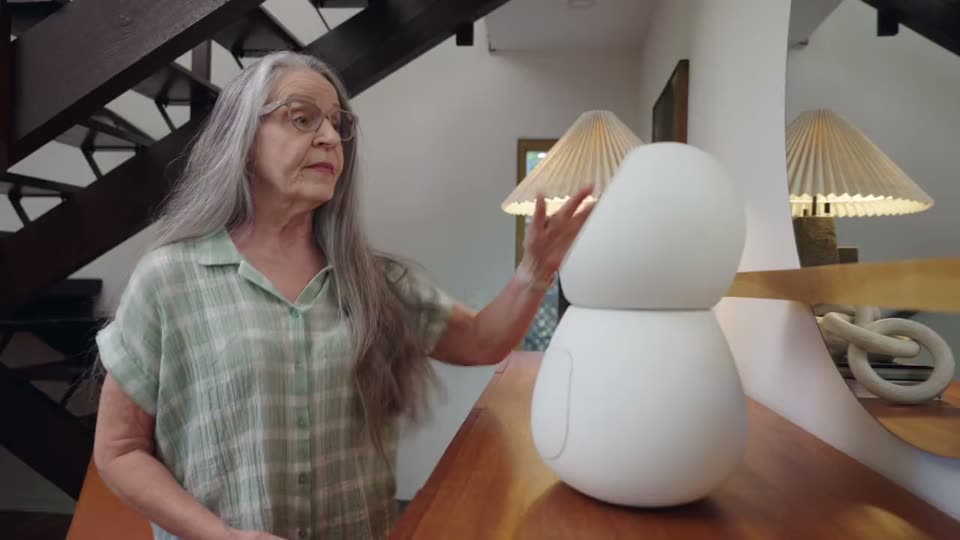
Family app updates and request statuses

What rhem can do

A person using Rhem’s health measurement interface
Illustrative measurement: Donna places her finger on Rhem’s sensor. An animated arc shows measuring in progress while her finger rests on the sensor, followed by three transparent, outlined circles with aligned sample readings and units: blood pressure 120/80 mmHg, heart rate 72 bpm, and SpO2 98%. These are example results, not Donna’s actual readings or a health assessment.

Illustrative measurement: Donna places her finger on Rhem’s sensor. An animated arc shows measuring in progress while her finger rests on the sensor, followed by three transparent, outlined circles with aligned sample readings and units: blood pressure 120/80 mmHg, heart rate 72 bpm, and SpO2 98%. These are example results, not Donna’s actual readings or a health assessment.

Their vitals. One place.

Rhem reads blood pressure, heart rate, and blood oxygen (SpO₂), then keeps every reading in a dated history. See today’s numbers and how they change over time.

Conversation patterns and changes over time
Illustrative conversation: Rhem asks about Teri’s plans. Teri says she can’t remember the time, with ‘can’t remember’ highlighted yellow as a flagged example cue. Rhem reminds her she is meeting Maya after lunch. Teri says she remembers the park at two, with ‘I remember now’ highlighted green as a positive example cue. Each turn uses a small light-grey wrapper. These are illustrative conversation cues, not a cognitive health assessment or diagnosis.

Illustrative conversation: Rhem asks about Teri’s plans. Teri says she can’t remember the time, with ‘can’t remember’ highlighted yellow as a flagged example cue. Rhem reminds her she is meeting Maya after lunch. Teri says she remembers the park at two, with ‘I remember now’ highlighted green as a positive example cue. Each turn uses a small light-grey wrapper. These are illustrative conversation cues, not a cognitive health assessment or diagnosis.

Every conversation adds context.

The topics they return to. The moments they lose their train of thought. Rhem compares patterns across conversations, bringing changes into view and giving you more to go on when you check in.

Your parent’s baseline and a change to review
Illustrative profile: Teri’s world. Age 60, activity level moderate. Reading, music, and gardening appear together, each with its own icon. These example interests offer context for everyday conversations and routines.

Illustrative profile: Teri’s world. Age 60, activity level moderate. Reading, music, and gardening appear together, each with its own icon. These example interests offer context for everyday conversations and routines.

Gets to know their everyday.

Their readings, conversations, and routines tell a story together. Rhem builds a picture of their everyday, so you can see what’s familiar and what’s changed against their own history.
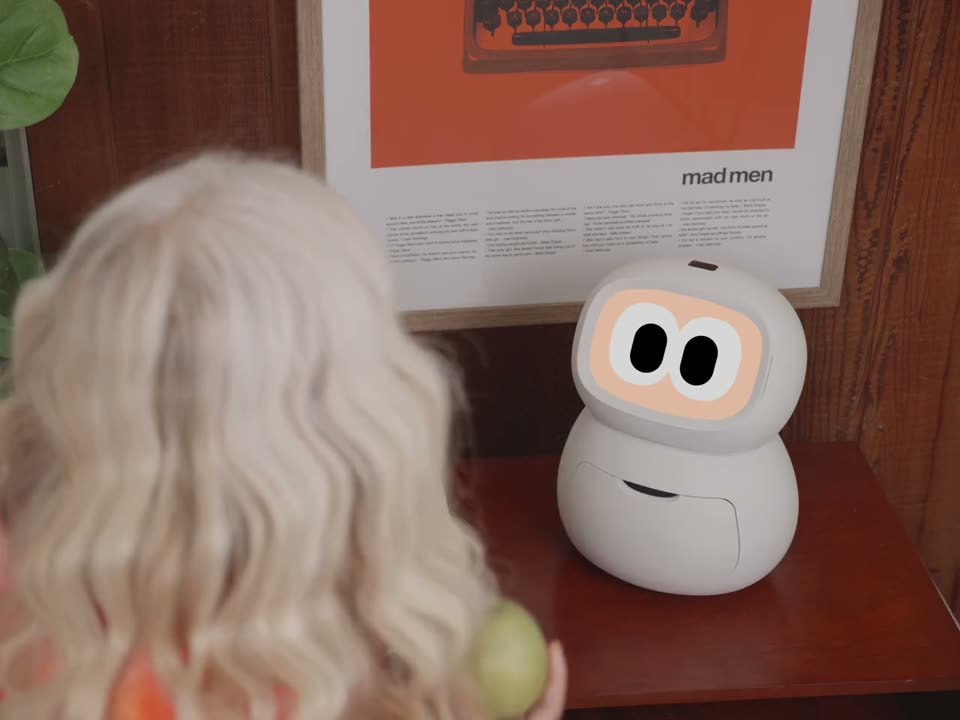
Wellness and everyday questions, answered in conversation
Illustrative conversation: Teri asks, ‘Which is healthier Rhem, the apple or the pear?’ Rhem replies, ‘Neither is clearly healthier. Both are nutritious, with small differences.’ Rhem’s circular eye avatar accompanies the reply.

Illustrative conversation: Teri asks, ‘Which is healthier Rhem, the apple or the pear?’ Rhem replies, ‘Neither is clearly healthier. Both are nutritious, with small differences.’ Rhem’s circular eye avatar accompanies the reply.

Big questions. Everyday answers.

From food, sleep, and staying active to recipes, weather, and everyday curiosities—just ask. Rhem talks it through in plain language, with room for every follow-up question.

A person asking Rhem to notify family for help
Illustrative help request: Teri says, ‘Rhem, help me!!’ A phone mark sits directly above Rhem and gently wobbles with animated signal lines while dialing as the text reads ‘Family contact’ and ‘Dialing family…’ This shows an attempted call rather than a connected call or confirmation that help is coming. Do not rely on Rhem for emergencies; contact emergency services directly.

Illustrative help request: Teri says, ‘Rhem, help me!!’ A phone mark sits directly above Rhem and gently wobbles with animated signal lines while dialing as the text reads ‘Family contact’ and ‘Dialing family…’ This shows an attempted call rather than a connected call or confirmation that help is coming. Do not rely on Rhem for emergencies; contact emergency services directly.

A little help. Just a word away.

When your parent needs a hand, they can ask out loud. Rhem recognizes supported help phrases and notifies family, giving them a way to reach you without picking up a phone.

An online task, completed by Rhem
Illustrative browser task: A card labeled ‘Teri’s request to Rhem’ reads ‘Refill my prescription.’ Six numbered tool cards follow the demo: open the pharmacy account, find the saved prescription, check refill availability, confirm the pickup location, submit the request, and verify its status. At most two tool cards appear below the request. A finish card reads ‘Task complete — Refill request submitted. Awaiting pharmacy review.’ Submission does not mean the prescription has been approved or dispensed.

Illustrative browser task: A card labeled ‘Teri’s request to Rhem’ reads ‘Refill my prescription.’ Six numbered tool cards follow the demo: open the pharmacy account, find the saved prescription, check refill availability, confirm the pickup location, submit the request, and verify its status. At most two tool cards appear below the request. A finish card reads ‘Task complete — Refill request submitted. Awaiting pharmacy review.’ Submission does not mean the prescription has been approved or dispensed.

They ask. Rhem gets clicking.

Book an appointment. Fill out a form. Get an online task moving. Your parent says what they need, and Rhem navigates the websites and works through the steps for them.

A phone call and the answer your parent needs
Illustrative phone task: A card labeled ‘Teri’s request to Rhem’ reads ‘Book a table for two.’ Four numbered tool cards show finding the restaurant number, calling Willow Bistro, asking for an indoor table for two, and confirming the reservation. At most two tool cards appear below the request. The finish card reads ‘Task complete — Indoor table for two booked. Friday, 7 PM · Willow Bistro.’

Illustrative phone task: A card labeled ‘Teri’s request to Rhem’ reads ‘Book a table for two.’ Four numbered tool cards show finding the restaurant number, calling Willow Bistro, asking for an indoor table for two, and confirming the reservation. At most two tool cards appear below the request. The finish card reads ‘Task complete — Indoor table for two booked. Friday, 7 PM · Willow Bistro.’

Makes the calls. Handles the details.

From calling the pharmacy to booking a table, Rhem speaks with businesses on your parent’s behalf. It asks questions, coordinates the details, and brings back the outcome.
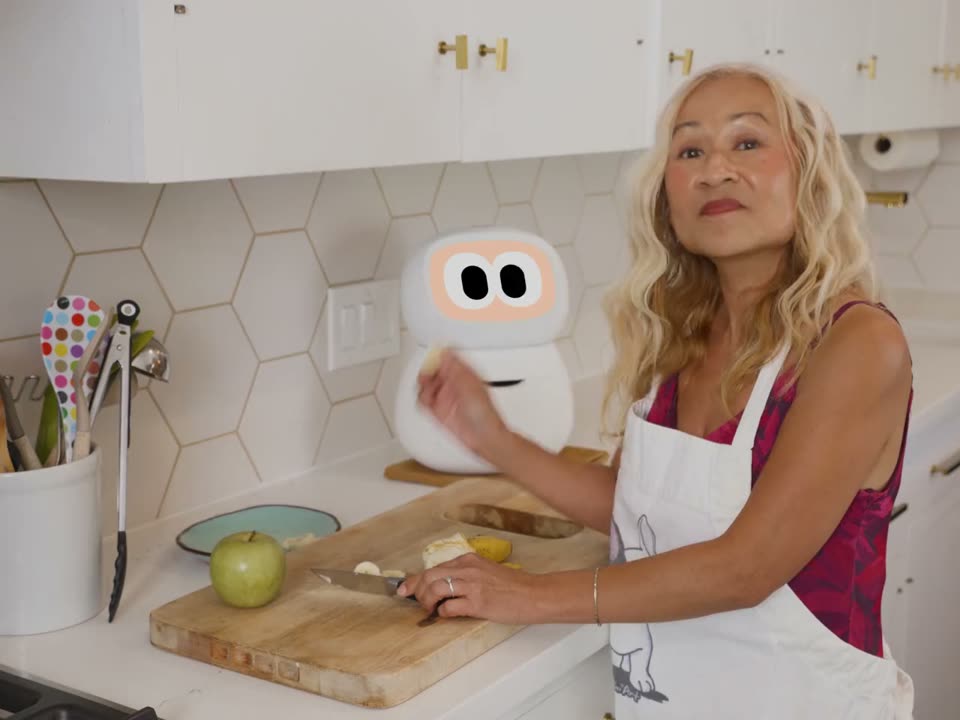
Purchase controls and an approved order
Illustrative shopping list: A compact, semi-transparent list in the top-left pairs apples, pears, milk, bread, and leafy greens with ingredient thumbnails. Check marks fill as the video plays, ending with ‘Ready for approval.’ No actual purchase or charge is made.

Illustrative shopping list: A compact, semi-transparent list in the top-left pairs apples, pears, milk, bread, and leafy greens with ingredient thumbnails. Check marks fill as the video plays, ending with ‘Ready for approval.’ No actual purchase or charge is made.

Their shopping list, put into action.

Groceries, household essentials, the things they need next. Rhem helps find and order them, with the items, budget, and purchase approvals set around your parent’s wishes.

A reminder, a follow-up, and the next step
Illustrative reminder: After 1.5 seconds, a light-grey wrapper in the top-left appears with ‘Water the plants.’ Its bell gently wobbles as it rings, and the reminder stays visible for the rest of the clip.

Illustrative reminder: After 1.5 seconds, a light-grey wrapper in the top-left appears with ‘Water the plants.’ Its bell gently wobbles as it rings, and the reminder stays visible for the rest of the clip.

Reminders that follow through.

A reminder is just the beginning. Rhem checks back, helps with the next step, and can call when your parent is away. If something still needs attention, it brings family into the loop.

Rhem starts an agreed check-in
Illustrative outreach: Beginning 0.5 seconds into the clip, Rhem’s question fades in: ‘Hey Teri, how are we feeling today???’ Its circular eye avatar and a voice waveform accompany the question.

Illustrative outreach: Beginning 0.5 seconds into the clip, Rhem’s question fades in: ‘Hey Teri, how are we feeling today???’ Its circular eye avatar and a voice waveform accompany the question.

Says hello first.

A question about their book. A check-in about their day. Rhem starts conversations around the routines your parent chooses, making room for a reply, a story, or a request for help.
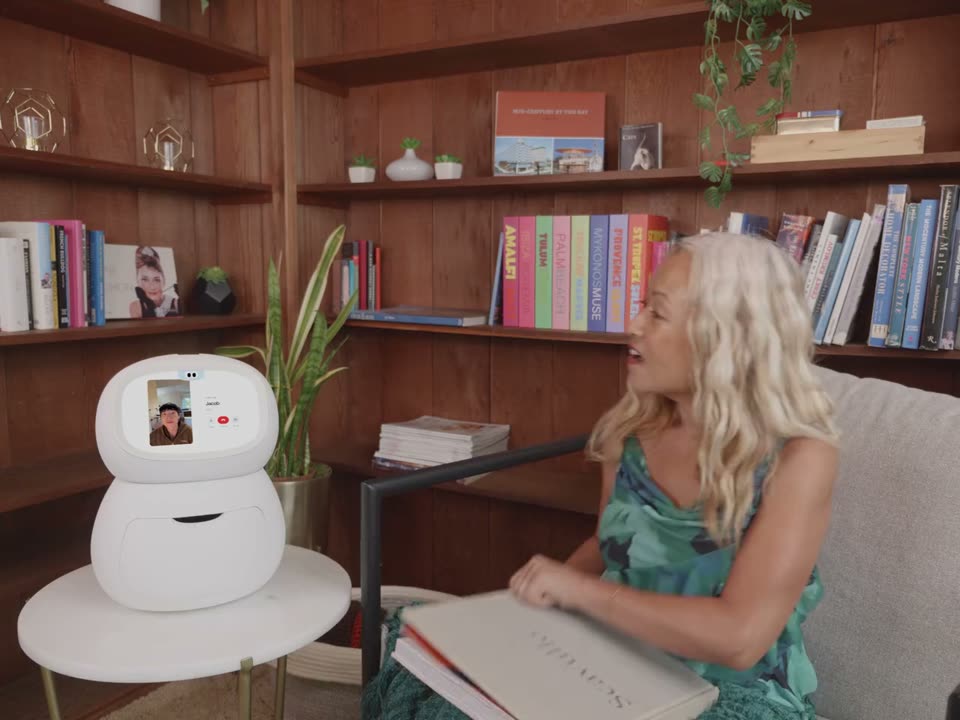
A family video call on Rhem
Illustrative family call: ‘One tap drop in’ appears in the top-left beside a simple animated tap gesture. Actual calls depend on Teri’s permission, connectivity, and someone being available.

Illustrative family call: ‘One tap drop in’ appears in the top-left beside a simple animated tap gesture. Actual calls depend on Teri’s permission, connectivity, and someone being available.

More moments together. From anywhere.

See a familiar face, share the day, or leave a voice message for later. Rhem brings family calls, video chats, and little hellos together in one place.
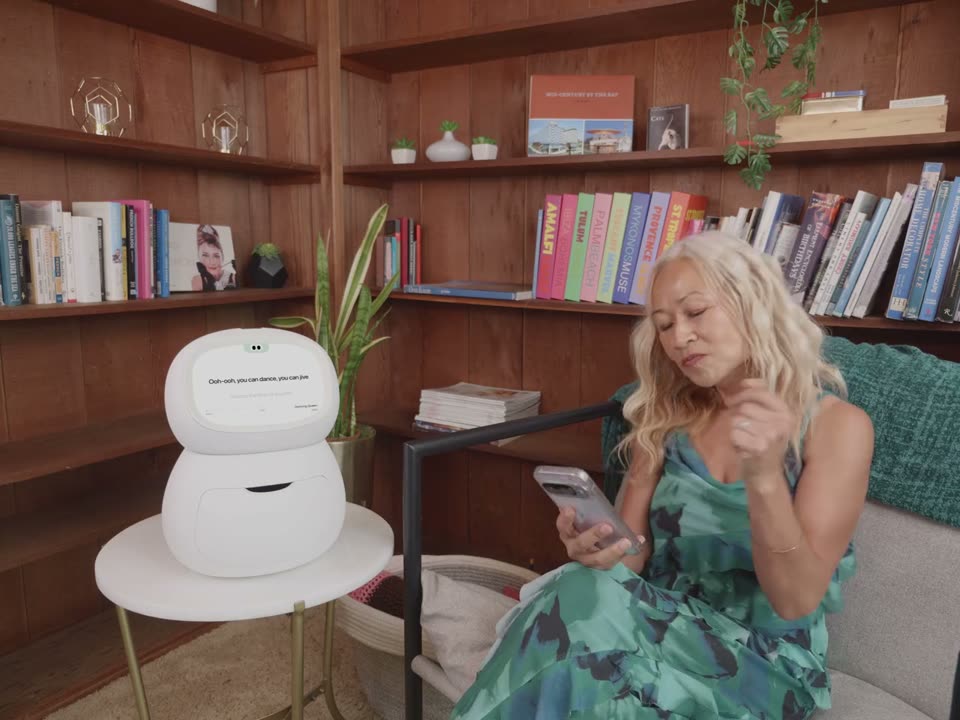
A game, a song, or a good conversation
Illustrative karaoke: The song title ‘Dancing Queen’ sits above a short excerpt of the provided lyrics. Captions follow the authored lyric timing on Rhem’s screen; words highlight in sequence with the video and freeze when playback pauses.

Illustrative karaoke: The song title ‘Dancing Queen’ sits above a short excerpt of the provided lyrics. Captions follow the authored lyric timing on Rhem’s screen; words highlight in sequence with the video and freeze when playback pauses.

A song. A game. A good conversation.

Sing along to karaoke, tune in to the radio, play a game, or settle into a conversation. Rhem brings more ways to spend an afternoon doing something they enjoy.

Health. Card 1 of 12: Their vitals. One place.
1 x Included

Add fall detection to Rhem.

Halo is Rhem’s camera-free fall detection sensor. Mount it on a wall or ceiling and Rhem can detect possible falls and alert your family through the app. No camera. Nothing to wear. One Halo is included free with every Rhem.

Explore Halo

Illustration of a wall-mounted Halo sensing a possible fall, with a radar pattern around a woman lying on the floor

Less checking up.
More catching up.

Know how they’re doing, what Rhem handled, and when you’re needed. All in your app.

Illustrative Rhem app screen. Mom’s morning at 10:30. Today: less sleep and activity than usual. Blue means within her usual range; amber means outside it; gray represents past readings and usual references. Mood is in usual range, sleep is below usual, and activity is below usual. A sixty-mark semicircular dial, with twelve marks per point, shows 4 out of 5, rated by Mom. A finely marked sleep ring shows 88 percent of her target, 7 of 8 hours. Scroll to activity: two bars compare 26 active minutes today with 40 usual minutes, or 65 percent of her usual morning. Sample data.
Use the previous and next preview buttons, the 7 position dots, or the up and down arrow keys. Select the center card to expand or collapse its description.
1 of 7: Know how they’re doing

Worried about setup?

We designed setup around the two things that are hardest when you don’t live nearby: getting them connected, and making the first interaction feel familiar.
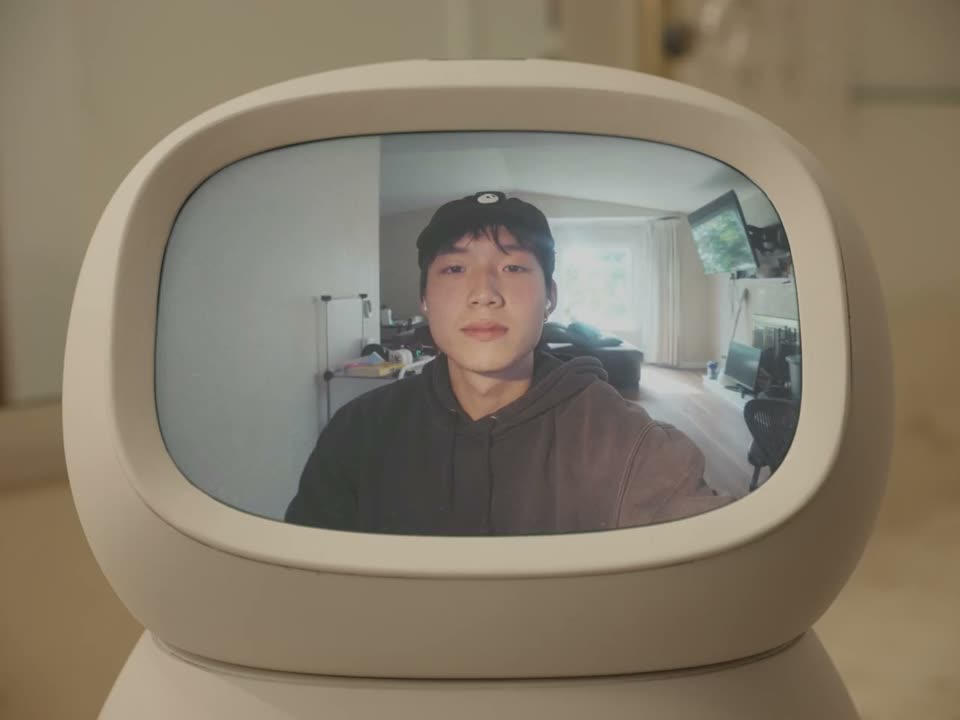
A recorded welcome message playing on Rhem

Record their first hello.

New technology feels a lot less scary when it starts with you. Before Rhem ships, record a message for your parent. When they turn Rhem on for the first time, it plays your message before anything else.
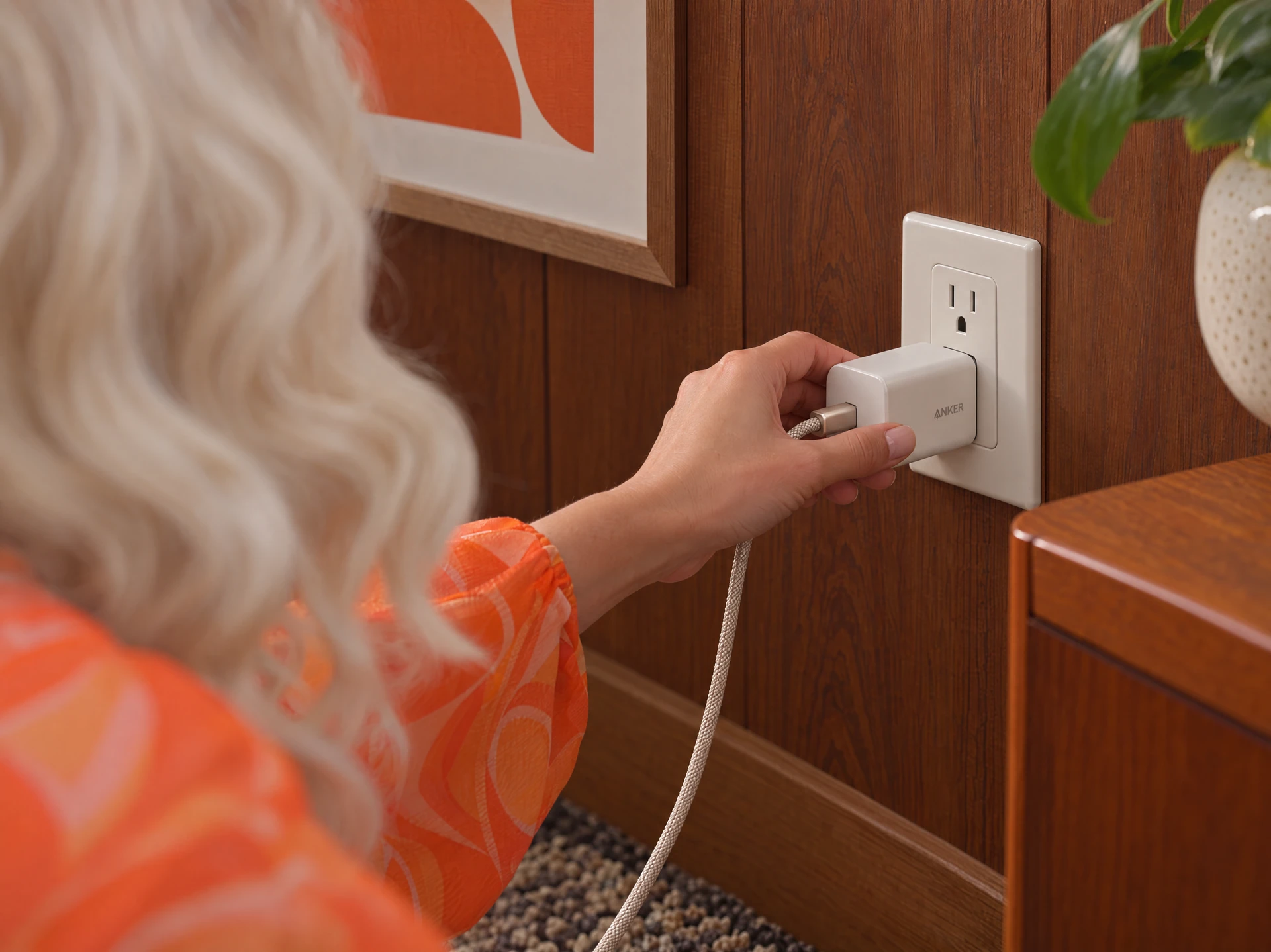
Wi-Fi setup

Set up their Wi-Fi before it arrives.

Add their Wi-Fi when you order so all they have to do, is plug rhem in. Once Rhem is online, we’ve got it from there.

Need help? We’ll call them.
One-on-one setup help with a real person is included with every Rhem.

Talk to our team

Built by people who know care

Portrait of Jacob Shen

CEO / Co-founder

Jacob Shen

An aspiring neurosurgeon turned computer science researcher at UC Berkeley. Former founding engineer at Mattoboard and researcher in Berkeley’s AI robotics lab, focused on full-stack autonomous driving and simulation systems.

Portrait of Huey Shen

CTO / Co-founder

Huey Shen

Executive leader with 30+ years in smart hardware and embedded software, leading operations across North America, Europe, and Asia. Expertise spans electric vehicle systems, manufacturing quality, and supply chain management.

Portrait of Dr. Jack Stephens

Senior advisor, Rhem Labs

Dr. Jack Stephens

He brings clinical expertise to Rhem, guiding how we support older adults and the people who care for them. CEO and president of Ocean View Adult Psychiatric Hospital. Previously led CNS Network for more than 23 years, overseeing clinical operations and neuroscience research.

Frequently asked questions

Who is Rhem for?

Rhem was designed with older adults in mind, but it’s for anyone who wants help getting things done and staying on top of their health.

Our founder Jacob (23) uses Rhem as a work buddy to simplify his life daily.

What does Rhem actually do?

Rhem is a small robot that sits on a table. Your parent can talk to it to set reminders, ask questions, play games, or get help with calls and online tasks. It also takes health readings and shares updates with family through an app.

Will my parent be able to use it?

Rhem is made for older adults, including people who find phones and apps confusing. They can speak to it instead of typing. You can help with setup and use the family app to stay in touch. Rhem helps with daily life, but it does not replace a caregiver.

How much does it cost?

Rhem Cloud costs $1,099 USD. Rhem Local costs $1,299 USD. Both include one Halo and standard shipping. Extra Halos cost $80 USD each. Any sales tax is added at checkout.

Does my parent need Wi-Fi at home?

Yes. Plan to use Rhem with a reliable home Wi-Fi connection. It has no cellular connection. Cloud needs the internet for AI conversations. Local can run some AI on the robot, but calls, websites, family updates, and remote alerts still need the internet.

Can I help set it up before it arrives?

Yes. After ordering, open My orders to add your parent’s Wi-Fi details and record a welcome message. Both are optional. We use them to help prepare their Rhem before shipping. If your family needs help getting started, we offer one-on-one setup help by phone.

Open My orders
What can I see in the family app?

With your parent’s permission, you can see shared health readings, reminders, and requests for help. The app can also receive fall alerts from Halo. You do not have to live in the same home, but Rhem needs internet to send updates. A reminder does not prove that medicine was taken.

How does it know if my parent falls?

The included Halo is a separate fall detector that goes on a wall or ceiling. It uses radar, not a camera, to look for falls in the area you set up. It can send alerts to the family app. Falls can be missed and false alerts can happen.

Learn about Halo
Do I have to pay a monthly fee?

No. Rhem Basic has no monthly fee and includes Halo fall detection and family app fall alerts. Your order includes 24 months of Plus, starting when you first activate Rhem after delivery. After that, Plus costs US$19 a month only if you choose to renew. Otherwise, you keep Basic with its AI usage limits.

Compare the plans
When will my order arrive?

We expect to ship U.S. Founder Edition preorders from California on January 20–31, 2027. That is the shipping window, not the delivery date. Travel time is extra. We are taking U.S. orders only; Canadian ordering is not open yet.

See shipping details
Can I cancel before it ships?

Yes. You can cancel for a full refund before any part of your order ships to you. Email cancel@rhem.ai from the email you used to order. Include your order number, name, and delivery address. There is no cancellation fee.

Read the cancellation policy
How do I get help from a person?

For product questions or setup help, email support@rhem.ai. For an order, return, or warranty problem, email service@rhem.ai and include your order number if you have it.

Contact us

* Rhem provides everyday assistance and general-wellness information. Its readings and suggestions are not intended for diagnosis, treatment or medical decisions. AI responses can be inaccurate. Consult a qualified professional about health concerns; do not rely on Rhem as an emergency-response service.

Essential functions and preferences
Used for functions you request and preferences you choose, including remembering this notice. These are not used for advertising.
Support chat
Intercom uses cookies to recognize this browser and keep support conversations available. We do not automatically send your account details to Intercom.
PostHog measures visits and checkout progress, and records masked browsing sessions on public pages. Text and inputs are masked. Forms, support chat, and private order and confirmation pages are excluded from recordings. Your browser’s Do Not Track setting is respected.
Advertising Off
The Meta pixel is paused and does not receive website activity.

Stripe manages its own cookies when you leave this site to pay. See the Cookie Policy for details and browser controls.

Let’s talk.

Send a message to support@rhem.ai.

We’ll use your details to respond to your enquiry. Privacy Policy.